
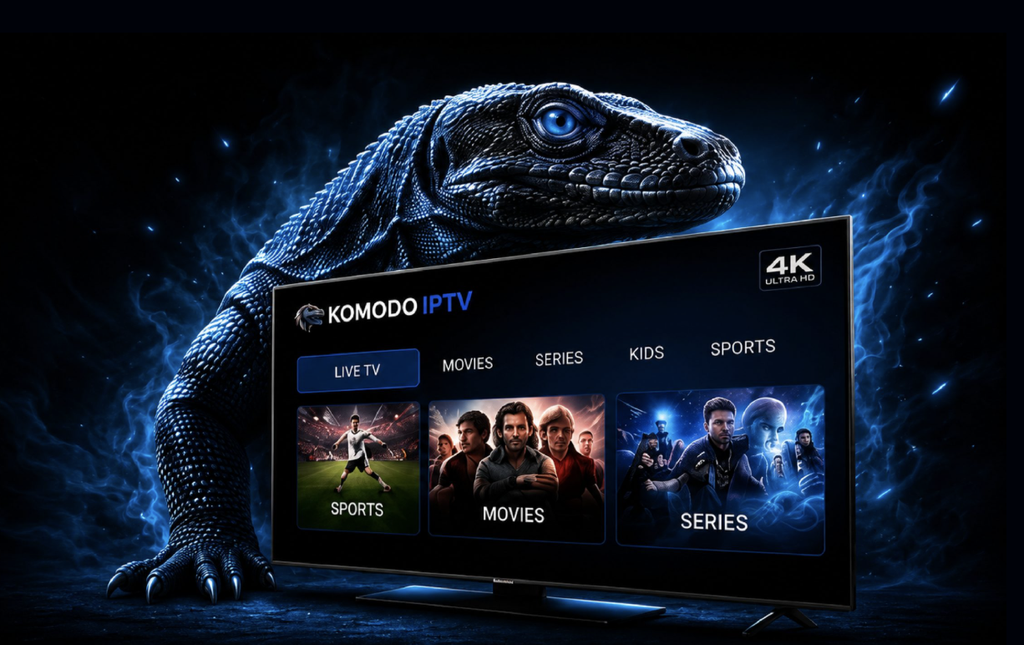
How to identify the original Komodo IPTV website? Always visit https://komodoiptv.com/ and check for the original Komodo IPTV logo to avoid confusing it with other websites.
How to Identify the Original Komodo IPTV Website?
Are you searching for Komodo IPTV on Google but unsure which website is the original one? Before purchasing a subscription or contacting customer support, it is important to verify that you are visiting the correct website.
The official Komodo IPTV website is:
When searching for Komodo IPTV, always check the website address and look for the original Komodo IPTV logo. These are important details that can help you identify the official website and avoid confusion with unrelated websites using similar names.
1. Check the Official Komodo IPTV Website Address
The first and most important step is checking the website domain.
The original Komodo IPTV website is https://komodoiptv.com/.
When you find a website through Google, social media, advertisements, or other online sources, carefully check the complete domain before proceeding.
Do not assume that every website mentioning Komodo IPTV is the official provider. Similar names and website designs can sometimes create confusion.
Always type or bookmark the official website address to make future visits easier.
2. Look for the Original Komodo IPTV Logo
Another important detail is the original Komodo IPTV logo.
When visiting a website claiming to represent Komodo IPTV, look for the original brand logo and compare it with the branding displayed on the official website.
However, remember that logos and images can sometimes be copied. A matching logo alone does not guarantee that a website is official.
For better verification, always check both the original logo and the website domain.
3. Be Careful with Similar Komodo IPTV Websites
When searching for popular brands on Google, you may encounter websites with similar names, copied descriptions, or different domain extensions.
This does not automatically mean those websites are connected to the original Komodo IPTV provider.
To avoid confusion:
- Verify the complete website address.
- Look for the original Komodo IPTV logo.
- Check the contact information.
- Use the official website for subscription inquiries.
- Avoid sharing payment or account information with unverified websites.
Taking a few seconds to verify the website can help you avoid unnecessary confusion.
4. Visit the Official Website for Subscription Information
If you want to learn more about Komodo IPTV, the best place to start is the official website.
Visit https://komodoiptv.com/ to explore available subscription options and service information.
Through the official website, you can:
- Check available subscription plans.
- Learn about supported devices and applications.
- Explore available entertainment categories.
- Request information about free trials.
- Contact customer support.
- Get assistance with installation and account access.
Always use the official website when looking for accurate information about Komodo IPTV.
5. Contact the Original Komodo IPTV Support Team
Customer support is another important part of identifying the correct provider.
If you have questions about a subscription, installation, login credentials, or device compatibility, contact the support team through the official website.
Komodo IPTV offers 24/7 customer support to assist customers with general inquiries and technical issues.
Before sharing account details or making payments, make sure you are communicating through the correct official contact channels.
6. What Makes Komodo IPTV Different?
Komodo IPTV provides an internet-based entertainment service for customers who want to access television and entertainment through compatible devices.
Depending on the subscription and available content, customers can explore:
- Live TV channels.
- Sports programming.
- Movies and TV series.
- Entertainment and documentary categories.
- Compatible IPTV applications.
The service is designed to provide convenient access to entertainment with subscription options and customer assistance.
Frequently Asked Questions About the Original Komodo IPTV Website
Q1. What is the original Komodo IPTV website?
The official Komodo IPTV website is https://komodoiptv.com/. Always verify this domain before purchasing a subscription.
Q2. How can I recognize the original Komodo IPTV logo?
Visit the official website and compare the logo and branding. Remember that logos can be copied, so always verify the domain too.
Q3. Are all websites using the Komodo IPTV name official?
No. Similar names do not necessarily indicate an official connection. Always check the website address.
Q4. Where can I purchase a Komodo IPTV subscription?
Visit https://komodoiptv.com/ to explore available subscription options and contact the support team.
Q5. How can I contact Komodo IPTV customer support?
You can reach the support team through the official website. Customer assistance is available 24/7.
Q6. Can I request a free trial?
Yes. Contact the official Komodo IPTV team through email or live chat to ask about the available free trial.
Final Reminder: Always Verify the Original Komodo IPTV Website
If you are searching for Komodo IPTV on Google, do not choose a website based only on its name or appearance.
Remember these two important verification steps:
- Visit the original website: https://komodoiptv.com/
- Look for the original Komodo IPTV logo and verify the website branding.
For subscription information, customer support, and service inquiries, always use the official website.
Komodo IPTV – Always Check the Original Website. Always Look for the Original Logo.