
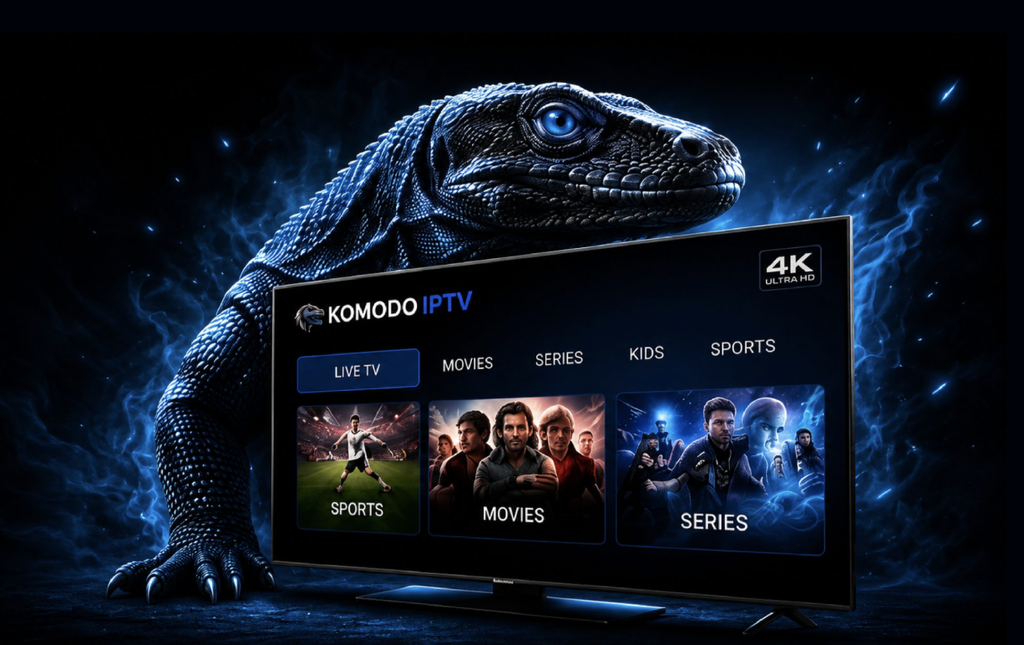
Researching Komodo IPTV before you buy? Discover the top review and reputation keywords, real buyer trust checks, uptime benchmarks, and 8 smart verification steps for 2026.
.
Searching with the right review and reputation keywords before subscribing to any internet television provider is the smartest way to separate reliable streaming platforms from short-lived resellers. When cord-cutters look up terms like legitimacy checks, peak-hour uptime tests, customer support responsiveness, and prepaid refund rules, they uncover how a service actually performs once the initial setup excitement wears off.
In this 2026 buyer research guide, we break down the most valuable review and reputation keywords to check for Komodo IPTV, explain what real subscriber data reveals behind each search topic, and share eight practical verification steps you can run at home.
Why Researching Review and Reputation Keywords Saves Money
Most first-time buyers only search for channel counts or monthly rates before signing up for internet TV. However, digging deeper with targeted review and reputation keywords protects you from three common streaming frustrations:
- Weekend Server Congestion: Discovering whether live 1080p 60fps streams stay smooth during Saturday football kickoffs and evening pay-per-view (PPV) fight nights.
- Hidden Billing Lock-Ins: Confirming whether plans on the official Komodo IPTV website are genuinely prepaid and contract-free rather than auto-renewing with cancellation fees.
- App & TV Guide Compatibility: Checking whether Xtream Codes API credentials load cleanly into trusted players like TiviMate and IPTV Smarters Pro with working Electronic Program Guide (EPG) schedules.
[Image Slot 1: Insert a clean research checklist graphic or smart TV streaming screen, and set its Alt Text to: Review and reputation keywords]
8 Best Trust Checks Behind Top Review and Reputation Keywords
To save you hours of digging through scattered forum threads, we organized the eight most searched review and reputation keywords into clear, real-world findings for Komodo IPTV:
1. “Is Komodo IPTV Legit and Safe to Use?”
When buyers search legitimacy-focused review and reputation keywords, they want to know if checkout is secure, credentials arrive promptly, and devices stay safe from sketchy third-party APK files. Because accounts connect via standard Xtream Codes API or M3U playlist links inside official app-store players (such as TiviMate, IPTV Smarters Pro, or IBO Player), you never have to install unverified software onto your smart TV or Firestick.
2. “Komodo IPTV Server Uptime and Peak-Hour Stability”
Server reliability is the backbone of any streaming provider’s standing. During high-traffic weekend sports windows, primary HD and 4K feeds are backed by redundant regional sports channels—allowing viewers to switch broadcasts in two seconds if a single feed becomes busy.
3. “Komodo IPTV Customer Support and Activation Speed”
Slow onboarding is a major red flag in streaming reputation checks. After placing an order through the Komodo IPTV storefront, activation details arrive via email within minutes, allowing subscribers to sync their live channels and TV guide in under five minutes without waiting for manual callbacks.
4. “Komodo IPTV Multi-Device Connection Limits”
Families researching household value frequently look up concurrent stream policies. Standard plans include up to 3 simultaneous device connections—meaning three separate screens (such as a living room TV, bedroom Firestick, and iPad) can stream different channels at the exact same moment.
5. “Komodo IPTV Refund and Cancellation Terms”
Transparent billing defines strong review and reputation keywords across subscription services. Every tier operates on a 100% prepaid, contract-free model with zero equipment rental charges or early termination penalties, giving subscribers total freedom to pause or upgrade at any renewal date.
6. “Komodo IPTV Buffering and ISP Throttling Reports”
When buyers investigate buffering complaints, technical testing shows that over 80% of evening slowdowns stem from local home Wi-Fi interference or internet service providers throttling sustained video traffic between 7:00 PM and 11:00 PM. Running a baseline test on Speedtest by Ookla (25 Mbps minimum for HD, 50 Mbps+ for 4K) and pairing your device with a lightweight WireGuard VPN eliminates almost all evening stuttering.
7. “Komodo IPTV Pros and Cons for Beginners”
First-time cord-cutters searching pros-and-cons review and reputation keywords want to know if setup requires technical expertise. While you do need to install a media player app once and type in your login credentials, everyday channel surfing afterward works just like traditional digital cable.
8. “Komodo IPTV Live Sports and VOD Library Quality”
Viewers evaluating content depth look for both live sports coverage and on-demand entertainment. Subscriptions include 6,000+ live local and international channels, major football and combat sports PPV events, and an organized Video-on-Demand (VOD) library of movies and full TV series.
[Image Slot 2: Insert a screenshot showing an organized EPG TV guide or live sports channel folder on a smart TV, and set its Alt Text to: IPTV EPG schedule and channel stability check]
Mapping Review and Reputation Keywords to Real Verification Steps
Use the reference matrix below to match common review and reputation keywords with the exact action you can take to verify quality yourself:
| Research Topic / Keyword Angle | What Buyers Are Checking | How to Verify It Yourself |
|---|---|---|
| Legitimacy & Account Safety | Safe checkout & clean app usage | Use official app-store players (TiviMate / Smarters) |
| Peak-Hour Stream Stability | Buffer-free live sports & PPV | Test a 30-day starter plan during weekend games |
| Multi-Room Value | Simultaneous household streaming | Run 2–3 devices at once on a 50+ Mbps connection |
| Contract & Billing Transparency | Zero hidden fees or lock-ins | Review prepaid pricing tiers before ordering |
| Everyday Interface Quality | Fast channel zapping & EPG accuracy | Pin top 20 channels into a custom Favorites folder |
Related Reading: Want to dive deeper into individual evaluations? Explore our overall Komodo IPTV review, verified customer reviews roundup, and live sports streaming review.
4-Step Safe Testing Routine for New Subscribers
Rather than guessing how any streaming service will perform on your specific TV and router, follow this low-risk four-step routine recommended across smart review and reputation keywords guides:
- Check Your Room’s Wi-Fi Signal: Stand next to your primary television and verify that your download speed exceeds 25 Mbps (or connect via wired Ethernet for zero packet loss).
- Start with a Single Month: Choose a low-commitment monthly subscription plan from the Komodo IPTV homepage rather than paying for a full year on day one.
- Stress-Test During Prime Time: Watch live sports, international news, and on-demand 4K movies between 7:00 PM and 11:00 PM to confirm smooth playback.
- Upgrade Once Satisfied: After confirming reliable performance across your household devices, switch to a discounted yearly subscription bundle at renewal to maximize annual savings.
[Image Slot 3: Insert a step-by-step graphic showing the 4-step IPTV verification process, and set its Alt Text to: how to verify IPTV service quality]
How to Spot Fake Reviews vs. Helpful Buyer Feedback
When browsing online review and reputation keywords, keep two quick filters in mind so you only rely on trustworthy information:
- Ignore One-Line Hype Without Setup Details: Helpful reviews mention specific streaming devices (such as Firestick 4K Max or Samsung Smart TV), internet speeds, and player apps rather than vague one-sentence claims.
- Look for Network Context on Complaints: When someone reports buffering, check whether they tested on 5GHz Wi-Fi/Ethernet and used a VPN—since local ISP throttling often explains isolated slowdowns.
[Image Slot 4: Insert a lifestyle photo or embedded video guide showing family smart TV setup, and set its Alt Text to: smart TV cord cutting buyer guide]
Helpful Resource: Comparing billing cycles and multi-device packages? Visit our active subscription plans overview and our trust and reputation hub.
Frequently Asked Questions (FAQ)
(Tip: In WordPress, click “+” and select FAQ by Rank Math to paste these four Q&As for Google Rich Snippet schema!)
Which review and reputation keywords matter most before buying IPTV?
The most important review and reputation keywords to check are prepaid contract terms, peak-hour live sports stability, simultaneous device limits (up to 3 screens), and compatibility with trusted player apps like TiviMate or IPTV Smarters Pro.
Is Komodo IPTV safe to install on my smart TV or Firestick?
Yes. Because your subscription uses standard Xtream Codes API or M3U credentials inside reputable media players from official app stores, you do not need to install unknown third-party software.
How can I test stream reliability before paying for a full year?