
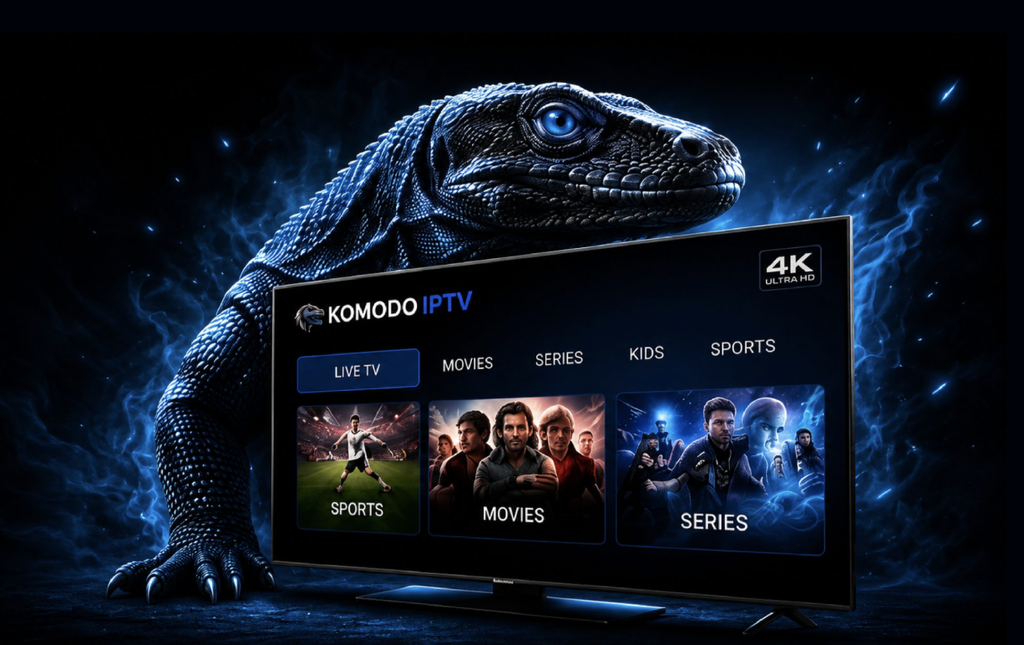
Looking for a Komodo IPTV monthly subscription? Discover pricing, device setup, buffer-free streaming tips, and flexible 30-day plan features before you buy
Choosing a Komodo IPTV monthly subscription is the smartest way to enjoy live sports, international TV channels, and on-demand movies without getting locked into a long-term contract. Paying every 30 days gives you complete control over your entertainment budget while letting you test stream quality on your home internet connection.
Whether you are cutting the cord from expensive cable TV or trying internet streaming for the first time, knowing how 30-day plans work will help you avoid buffering and pick the right setup. Below is a complete guide covering features, device compatibility, setup steps, and smart buying tips.
What Is a Komodo IPTV Monthly Subscription?
A Komodo IPTV monthly subscription is a 30-day internet television plan that delivers live TV broadcasts, pay-per-view (PPV) sports events, and video-on-demand (VOD) libraries over your broadband connection. Instead of installing a satellite dish or renting a cable box, you stream directly through an app on your smart TV, streaming stick, smartphone, or computer.
A standard 30-day IPTV package typically includes:
- Thousands of Live Channels: Local stations, entertainment networks, news channels, kids’ shows, and international broadcasts.
- Live Sports & PPV Events: Coverage of major football leagues, UFC and boxing events, motorsports, and live tournaments.
- On-Demand Movies & Series: Regularly updated libraries of movies and full TV seasons ready to stream anytime.
- Electronic Program Guide (EPG): A built-in digital TV guide that displays current and upcoming show schedules.
Top Benefits of a 30-Day IPTV Plan
Selecting a Komodo IPTV monthly subscription offers several practical advantages over traditional TV contracts and multi-month commitments:
- Zero Long-Term Commitment: You only pay for one month at a time, making it easy to pause, cancel, or switch plans whenever you want.
- Low Upfront Cost: A single 30-day payment is budget-friendly and lets you test channel reliability during live weekend sports before spending more.
- Instant Activation on Existing Devices: You can start watching within minutes using a Firestick, Android TV box, smart TV, or mobile phone you already own.
- Easy Plan Upgrades: If you decide to add extra screen connections or move to a longer billing cycle later, you can upgrade at your next renewal date.
Related Guide: Want to compare long-term savings? Read our full breakdown of the Komodo IPTV Yearly Subscription to see how much you can save over 12 months.
7 Essential Tips Before Buying a Komodo IPTV Monthly Subscription
Before ordering your Komodo IPTV monthly subscription, follow these seven practical steps to get smooth playback and the best value:
1. Test Your Home Internet Speed First
Reliable HD and 4K streaming requires a steady broadband connection. Run a quick check on Speedtest by Ookla to make sure your download speed is at least 25 Mbps for standard HD channels and 50 Mbps or higher for 4K streams.
2. Check Simultaneous Screen Connections
Verify how many devices can watch at the exact same time under one Komodo IPTV monthly subscription. If multiple people in your household stream in different rooms simultaneously, select a multi-connection plan so streams do not cut out.
3. Confirm Compatibility with Your Streaming Device
Make sure the provider supports Xtream Codes API or M3U playlist logins so you can use popular media players on your specific TV or streaming stick.
4. Verify Channel Lists and Regional Sports
Do not rely only on total channel counts. Confirm that the specific local channels, sports networks, and international packages you watch every week are included.
5. Look for Electronic Program Guide (EPG) and Catch-Up Support
A working EPG TV guide makes browsing thousands of channels effortless. Catch-Up support is also a major plus if you want to replay live shows that aired earlier in the week.
6. Use a VPN to Prevent ISP Throttling
Many internet providers slow down video streaming traffic during busy evening hours. Pairing your Komodo IPTV monthly subscription with a trusted VPN protects your privacy and keeps speeds consistent.
7. Keep Track of Your Renewal Date
Because 30-day plans expire automatically unless renewed, note your billing date or enable renewal reminders so your service does not pause right before a big game.
Supported Devices and 4-Step Setup Guide
Setting up a Komodo IPTV monthly subscription takes under five minutes on almost any modern screen:
- Streaming Sticks & Boxes: Amazon Fire TV Stick, NVIDIA Shield TV, Chromecast with Google TV, and Android TV boxes.
- Smart Televisions: Samsung, LG, Sony, and TCL smart TVs that support third-party IPTV player apps.
- Mobile & Desktop: iPhone, iPad, Android phones and tablets, Windows PCs, and MacBooks.
How to Activate Your Subscription in 4 Steps
- Install an IPTV Player App: Download a reliable media player such as TiviMate, IPTV Smarters Pro, or IBO Player from your device’s app store.
- Open Your Activation Email: Locate the login credentials sent after checkout, including your Xtream Codes API details (Server URL, Username, and Password) or M3U link.
- Log In to Your Playlist: Open your IPTV player, choose Add Playlist, and enter your server URL, username, and password.
- Sync Channels and TV Guide: Wait 30 to 60 seconds for your live channels, VOD catalog, and EPG guide to load, then start streaming.
Helpful Resource: Not sure which app to download? Check out our comparison of the Best IPTV Players for Firestick and Smart TVs.
Monthly vs. Yearly IPTV Plans: Which Should You Choose?
If you are deciding between a Komodo IPTV monthly subscription and a 12-month package, compare the key differences below:
| Feature | Komodo IPTV Monthly Subscription | Yearly IPTV Subscription |
|---|---|---|
| Upfront Payment | Low (1 month at a time) | Higher single payment |
| Flexibility | Cancel or pause any month | 12-month commitment |
| Effective Monthly Cost | Standard 30-day rate | 30%–45% lower per month |
| Channel & VOD Library | Full live TV & VOD access | Full live TV & VOD access |
| Best For | First-time buyers & short-term use | Long-term daily viewers |
How to Fix Common IPTV Buffering Issues
Even with a strong Komodo IPTV monthly subscription, home Wi-Fi interference can occasionally cause freezing. Try these four quick fixes:
- Use an Ethernet Cable: Connecting your streaming box or smart TV directly to your router provides a much steadier signal than Wi-Fi.
- Reboot Your Modem and Streaming Device: Unplug both devices for 30 seconds to clear temporary network congestion.
- Clear Player App Cache: Open your device settings and clear the cache inside your IPTV player app every few weeks.
- Switch Video Decoders: Inside your player app’s settings menu, toggle between Hardware and Software decoding to match your device’s processor.
Frequently Asked Questions (FAQ)
How much does a Komodo IPTV monthly subscription cost?
The price of a Komodo IPTV monthly subscription depends on the plan tier and the number of simultaneous device connections you choose. Single-connection 30-day plans generally offer an affordable entry price without requiring a long-term contract.
Can I use my Komodo IPTV monthly subscription on two TVs?
You can install the IPTV player app on multiple TVs and phones, but the number of screens that can stream at the exact same moment depends on your plan’s connection limit. Choose a 2-connection or 3-connection plan if multiple TVs will watch simultaneously.
Does a Komodo IPTV monthly subscription include on-demand movies?
Yes. Most 30-day subscriptions include full access to both live television channels and an on-demand library of movies and TV series at no extra charge.
komodo Official website https://komodoiptv.com/