
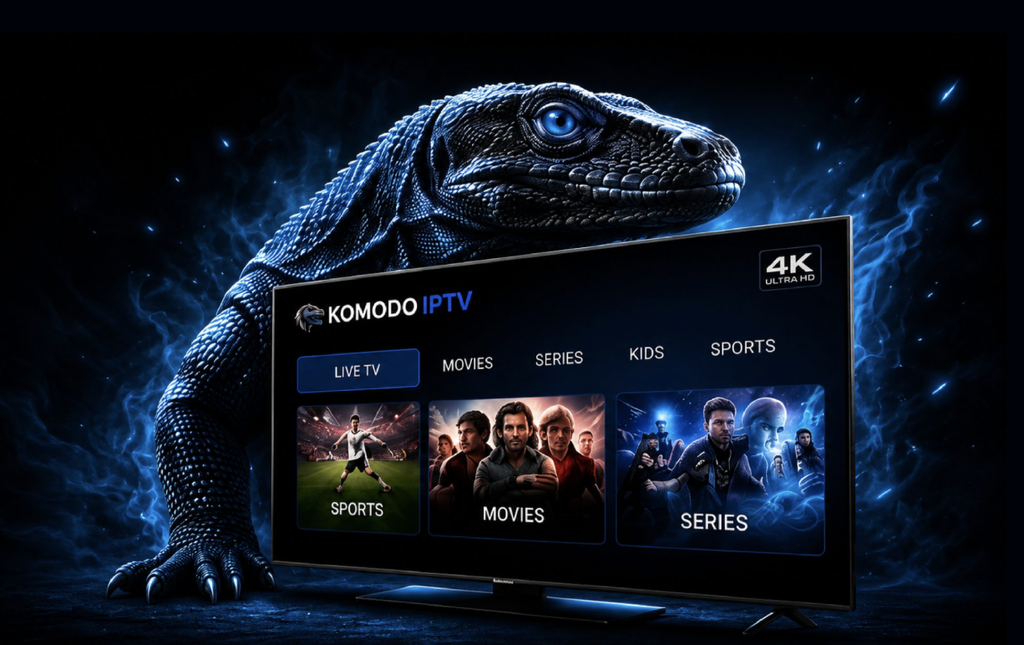
Visit the Komodo IPTV official website to explore subscription options, streaming features, channel information, compatible devices, and service details.
Komodo IPTV Official Website: Everything You Need to Know
When searching for an IPTV provider online, finding the correct official website is an important first step. With many streaming services and third-party websites available, visitors should know where to find accurate information about a brand, its subscription options, supported devices, and customer support.
If you are searching for Komodo IPTV official, this guide will help you learn about the Komodo IPTV brand, find its official website, and understand what to review before choosing a subscription.
Whether you are a new visitor or someone comparing IPTV services, this article covers the essential information you should know.
What Is the Komodo IPTV Official Website?
The official Komodo IPTV website is the primary online destination for information about the brand and its service.
You can visit it here:
Komodo IPTV Official Website: https://komodoiptv.com/
Visitors can use the website to explore the available service information, review subscription details, and find relevant information before making a decision.
When searching for Komodo IPTV online, always check the website address carefully. Using the official domain helps you avoid confusion with unrelated websites, unofficial pages, or third-party information that may not reflect the current service.
Why Visit the Komodo IPTV Official Website?
An official website is an important resource for anyone researching a streaming provider. Instead of relying entirely on older reviews or information published elsewhere, visitors can use the brand’s website to check the latest details.
Here are some reasons to visit the Komodo IPTV official website.
1. Find Current Subscription Information
Before choosing an IPTV subscription, it is important to understand the available plans and their conditions.
On the official Komodo IPTV website, look for current information about subscription options, pricing, and payment conditions.
Before purchasing, make sure you understand:
- Subscription duration
- Total subscription price
- Available payment methods
- Renewal conditions
- Refund and cancellation policies
- Any applicable device or connection limits
Subscription information can change over time. Checking the official website helps you make a decision using the most current published details.
2. Explore Channel and Entertainment Information
Different viewers have different entertainment preferences. Some prefer live television, while others are interested in sports, movies, television series, documentaries, or international programming.
If you are considering Komodo IPTV, review its current channel and content information to determine whether the available options match your interests.
Do not rely only on general IPTV advertisements or outdated channel lists. Check the latest information directly with the provider, because channel availability and regional access can change.
3. Learn About Supported Devices
Device compatibility is another important factor when choosing an IPTV service.
Depending on the provider’s supported applications and setup requirements, IPTV technology can be used with different internet-connected devices.
When visiting the Komodo IPTV official website, look for compatibility and installation information for the device you intend to use.
Common device categories to check include:
- Amazon Fire TV devices
- Android TV devices
- Android smartphones and tablets
- Smart TVs
- Apple devices
- Windows computers
Not every IPTV service supports every device. Confirm compatibility before purchasing a subscription.
4. Find Setup and Installation Information
New IPTV users may need help understanding how to configure their streaming devices.
A useful setup guide should explain the supported application, required account information, installation process, and basic configuration steps.
If you are planning to use Komodo IPTV, check the official website for the latest instructions relevant to your device.
Always use the provider’s published instructions rather than entering account information into unknown applications or unofficial websites.
5. Find Customer Support Information
Customer support is an important part of a subscription service.
Visitors should know where to ask questions about subscriptions, payments, installation, and technical difficulties.
When visiting the Komodo IPTV official website, look for the published contact and support information. Review the available support methods and operating hours so you know where to turn if you need assistance.
How to Find the Correct Komodo IPTV Website
If you search for Komodo IPTV on Google, you may see different pages, reviews, and references.
To find the official website, follow these simple steps:
- Open your preferred search engine.
- Search for Komodo IPTV official.
- Check the website domain shown in the results.
- Confirm that the address is https://komodoiptv.com/.
- Review the information published on the website.
You can also access the official website directly:
Be careful with websites that use similar brand names or claim to represent a service without clear confirmation. Never share payment details or account credentials with an unfamiliar website.
How to Get Started With Komodo IPTV
If you are new to the brand, the following steps can help you understand the process.
Step 1: Visit the Official Website
Start by visiting https://komodoiptv.com/ and exploring the available information about Komodo IPTV.
Step 2: Review the Service Details
Read the current information about channels, entertainment options, device compatibility, and streaming requirements.
Step 3: Compare Subscription Options
Review the available plans, prices, durations, payment conditions, and refund policies. Choose only after understanding the terms.
Step 4: Check Your Device
Make sure your preferred television or streaming device is supported. Review the installation instructions before proceeding.
Step 5: Follow the Official Setup Instructions
If you decide to subscribe, follow the provider’s published setup instructions for your device.
Step 6: Contact Support When Needed
If you have questions about your subscription or installation, use the contact information provided through the official website.
What Should You Check Before Choosing Komodo IPTV?
Finding the official website is only the beginning. Before purchasing any IPTV subscription, consider the following factors.
Content availability: Confirm that the channels and programs you want are currently offered and available in your region.
Streaming requirements: Check the recommended internet connection and any device requirements.
Subscription terms: Understand the price, duration, renewal conditions, and cancellation policy.
Customer assistance: Look for clear contact information and support instructions.
Content distribution rights: Confirm that the provider has the necessary rights to distribute the content it offers in your location.
These checks can help you avoid misunderstandings and make a more informed decision.
Frequently Asked Questions About Komodo IPTV Official
What is the official Komodo IPTV website?
The official Komodo IPTV website is https://komodoiptv.com/. Visitors can use it to explore the brand and review the latest published service information.
How do I find Komodo IPTV on Google?
Search for the phrase “Komodo IPTV official” and check that the result points to the correct domain: komodoiptv.com.
Can I find Komodo IPTV subscription plans online?
You can visit the official website to check the latest subscription options, prices, durations, and terms.
How can I learn about Komodo IPTV channels?
Review the current channel and content information published by the provider. Availability may change, so check the latest details before subscribing.
Does Komodo IPTV support Smart TVs?
Device compatibility depends on the provider’s current supported options and applications. Check the official setup information to confirm whether your Smart TV is supported.
How can I contact Komodo IPTV?
Visit https://komodoiptv.com/ and look for the published customer support or contact information.
Is the Komodo IPTV official website safe to use?
Always verify that you are visiting the correct domain, use a secure connection, and review the website’s payment and privacy information before sharing personal or payment details.
Is IPTV legal?
IPTV is a technology for delivering television content over internet networks. The legality of a particular service depends on its distribution rights and the laws applicable in the viewer’s location. Check that the provider is authorized to distribute the content it offers.
Final Thoughts
Finding the Komodo IPTV official website is a useful first step for anyone researching the brand or considering an IPTV subscription.
The official website provides a starting point for reviewing service information, subscription options, device compatibility, and available support details.
Before making a purchase, take time to check the current terms, content availability, and compatibility with your preferred device.
If you want to learn more about Komodo IPTV, visit the official website:
Explore Komodo IPTV: https://komodoiptv.com/
Always use the official website for the latest published information and make an informed decision before subscribing.