
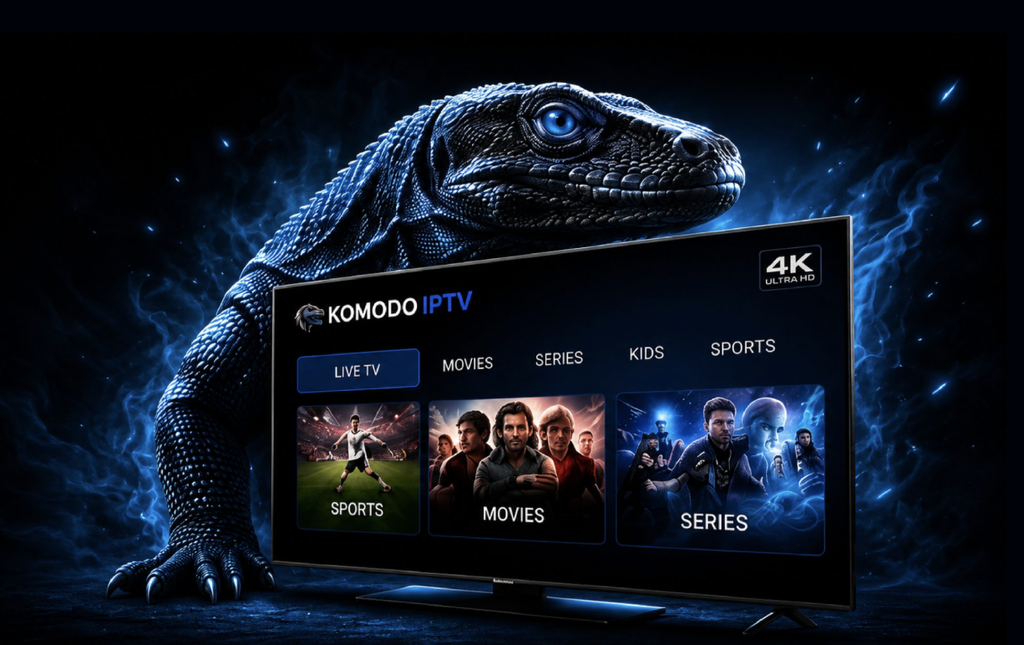
Explore Komodo IPTV online to discover subscription options, channel information, streaming features, compatible devices, and service details.
Komodo IPTV Online: Streaming Features, Subscription Options and Guide
Finding an IPTV service online can take time, especially when you want to understand its subscription options, available content, device compatibility, and setup requirements before getting started. If you are searching for Komodo IPTV online, this guide explains what to look for, how to explore the service, and what to consider before choosing a subscription.
Komodo IPTV is the brand featured in this guide. Visitors can explore its official website at https://komodoiptv.com/ to check the latest service information, available options, and subscription details.
Whether you are researching IPTV for the first time or comparing streaming services, understanding the important details can help you make a more informed decision.
What Is Komodo IPTV Online?
Komodo IPTV online refers to finding and exploring the Komodo IPTV brand and its service information through the internet. IPTV, or Internet Protocol Television, is a technology that delivers television content through an internet connection rather than relying exclusively on traditional cable or satellite broadcasting.
IPTV services can provide different types of entertainment, depending on the provider and the content distribution rights it holds. These may include live television, sports programming, movies, television series, and other digital content.
The exact content and features available through Komodo IPTV should always be checked on its official website. Availability can depend on the current subscription options, location, and applicable content restrictions.
Why Explore Komodo IPTV Online?
Exploring a streaming service online before subscribing gives you an opportunity to review its information and understand whether it meets your requirements.
Here are some important reasons to visit the Komodo IPTV website:
1. Explore Subscription Information
Before choosing an IPTV service, it is important to understand its subscription structure. Visit the official Komodo IPTV website to review the latest available plans, pricing, subscription periods, and payment information.
Compare the available options carefully rather than choosing a package based only on its advertised price. Make sure you understand the renewal process and any applicable subscription conditions.
2. Review Available Channel Information
Content availability is one of the most important considerations when selecting an IPTV provider.
If you are interested in particular sports channels, entertainment networks, international programming, or local television, check whether the content you want is included in the current service offering.
Do not assume that every channel is available in every country. Regional restrictions and distribution rights may affect what viewers can access.
3. Understand Streaming Features
Different IPTV providers offer different streaming features and content options. Before subscribing to Komodo IPTV, review the current website information to understand which features are available.
Consider the types of programming you want to watch, the streaming quality information provided, and whether the service meets your household’s entertainment needs.
4. Check Device Compatibility
Device compatibility is another important factor when exploring IPTV online.
Some IPTV services may support devices such as:
- Amazon Fire TV and Firestick devices
- Android smartphones and tablets
- Android TV devices
- Compatible Smart TVs
- Computers and other supported platforms
However, compatibility varies between services and applications. Check the official Komodo IPTV instructions to confirm which devices and applications are currently supported before purchasing a subscription.
How to Get Started With Komodo IPTV Online
If you are interested in exploring Komodo IPTV, follow these general steps before getting started.
Step 1: Visit the Official Website
Open https://komodoiptv.com/ using your preferred web browser. Make sure you are visiting the correct website when looking for official service information.
Step 2: Review the Available Information
Explore the website to learn about the service, subscription options, content information, and any published requirements.
Step 3: Check Device Requirements
Confirm that your television, streaming device, or other equipment is compatible with the service. Review any installation instructions before proceeding.
Step 4: Understand the Subscription Terms
Read the subscription conditions carefully. Pay attention to pricing, payment methods, renewal policies, cancellation terms, and refund conditions where applicable.
Step 5: Follow the Official Setup Instructions
If you decide to subscribe, use the setup instructions provided through the official service. Avoid downloading unfamiliar applications or sharing account details with unverified websites.
What Internet Connection Do You Need for IPTV?
IPTV depends on an internet connection, so your network can influence the viewing experience.
A reliable broadband connection is generally recommended for streaming. The connection speed you need depends on factors such as video resolution, the number of devices using the network, and the requirements of the streaming service.
For a more consistent experience, consider these practical tips:
- Use a stable internet connection.
- Connect your streaming device to a reliable Wi-Fi network.
- Consider an Ethernet connection when available.
- Avoid running unnecessary bandwidth-intensive downloads while streaming.
- Restart your router if you experience temporary network problems.
- Check whether other devices are using significant bandwidth.
Remember that buffering can have several causes, including network congestion, device limitations, application issues, or problems with the streaming provider.
How to Choose the Right IPTV Subscription
Choosing an IPTV subscription requires more than comparing prices. It is important to consider whether the service provides the content and conditions you actually need.
Before purchasing Komodo IPTV, review the following points:
Content selection: Confirm that the channels and programs you want are available.
Device support: Check compatibility with your preferred television or streaming device.
Subscription cost: Understand the full price and billing period.
Payment security: Use only payment methods and checkout pages confirmed by the official website.
Renewal conditions: Find out whether subscriptions renew automatically and how to manage renewal.
Customer support: Check what contact and assistance options are available.
Content rights: Make sure the provider is authorized to distribute the content in your location.
Taking time to review these details can help you avoid unexpected problems later.
Common IPTV Problems and Possible Solutions
Even with a suitable streaming service, users may occasionally experience technical difficulties. Some common issues can be related to the device, application, or internet connection.
Buffering During Playback
Buffering may occur when an internet connection is unstable or network bandwidth is limited. Try restarting your router, moving closer to your Wi-Fi access point, or using a wired connection.
Application Not Opening
If an IPTV application does not open correctly, restart your device and check whether an application update is available. Only install applications recommended through verified sources.
Login or Account Problems
If you cannot access your account, check that your login information is correct and that your subscription status is valid. Contact the official service support channel if the issue continues.
Channels Not Playing
A channel may be unavailable because of maintenance, regional restrictions, subscription limitations, or a temporary technical issue. Check the provider’s published information before assuming that the problem is caused by your device.
Is Komodo IPTV Online Worth Exploring?
Whether Komodo IPTV is suitable for you depends on your entertainment preferences, device requirements, budget, and the content available in your location.
If you are considering the service, start by visiting the official website and reviewing the latest details. Compare its available subscription options with your requirements, check device compatibility, and understand the applicable terms before making a purchase.
It is also important to remember that IPTV technology itself is not the same as authorization to distribute television content. A legitimate IPTV provider must have the necessary rights to offer the content it makes available.
Frequently Asked Questions About Komodo IPTV Online
1. What is Komodo IPTV online?
Komodo IPTV online refers to exploring the Komodo IPTV brand and its service information through the internet. Visitors can use the official website to review current subscription and service details.
2. Where can I find the Komodo IPTV official website?
You can visit the official website at https://komodoiptv.com/ to explore the latest published information about the brand and its service.
3. Can I use Komodo IPTV on a Smart TV?
Device compatibility depends on the service’s current supported platforms and setup requirements. Check the official website for the latest compatibility information.
4. Does IPTV require an internet connection?
Yes. IPTV delivers television content through an internet connection, so a stable network is important for a consistent streaming experience.
5. How do I check Komodo IPTV subscription options?
Visit the official website and review the latest subscription information, including pricing, billing periods, payment methods, and applicable terms.
6. Is IPTV legal?
IPTV is a technology for delivering television content over internet networks. The legality of a particular service depends on whether it has the necessary distribution rights for the content it offers in the relevant country.
Final Thoughts
Exploring Komodo IPTV online is a useful starting point if you are researching internet-based television services and comparing available entertainment options. Before choosing a subscription, take time to review the official website, check content availability, confirm device compatibility, and understand the subscription conditions.
For the latest information about Komodo IPTV, visit the official website: https://komodoiptv.com/.
Making an informed decision before subscribing can help you choose a streaming service that better matches your viewing preferences, technical requirements, and budget.