
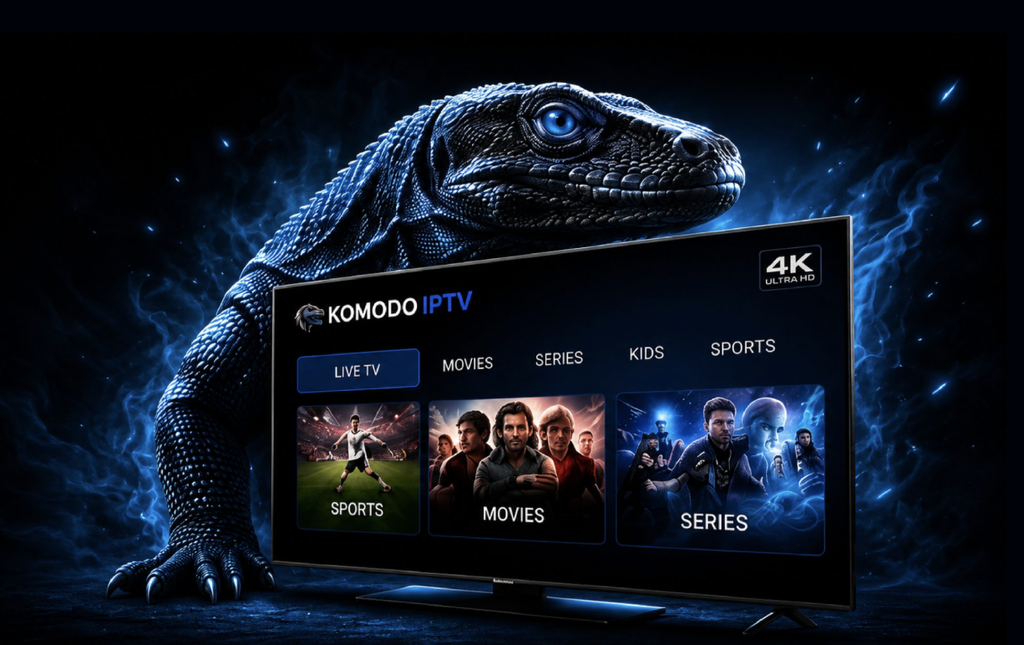
Explore our complete subscription and pricing guide for Komodo IPTV in 2026. Compare monthly and annual plans, multi-device connections, and 5 smart ways to save.
Reviewing the latest subscription and pricing details before you sign up helps you match your household budget with the exact number of screens, channels, and billing duration you need. Whether you want a flexible 30-day starter pass or a long-term family bundle, understanding how each tier is structured ensures you get maximum entertainment value with zero hidden fees.
Below is a complete breakdown of available plans, included features, device compatibility, and smart tips for picking the right package.
How Subscription and Pricing Work on Komodo IPTV
The transparent subscription and pricing model at Komodo IPTV is built around simple, prepaid, contract-free plans. Unlike traditional cable providers that add equipment rental charges, regional broadcast taxes, and early termination penalties, every plan uses a flat-rate structure that activates directly on the devices you already own.
Your total cost depends on two simple choices:
- Billing Duration: Choose between a low-commitment 30-day plan or multi-month and annual bundles that lower your effective monthly rate.
- Simultaneous Connections: Standard plans cover up to 3 devices streaming at the exact same time, while custom household options can accommodate extra rooms.
Comparing Available Plans Side by Side
When browsing Komodo IPTV, options are organized so you only pay for the billing cycle and screen count that fit your home:
| Plan Tier | Billing Cycle | Simultaneous Streams | Best For |
|---|---|---|---|
| 1-Month Starter Plan | Every 30 days | Up to 3 devices | First-time testers & month-to-month flexibility |
| 3-Month Bundle | Every 90 days | Up to 3 devices | Regular viewers wanting short-term discounts |
| 6-Month Bundle | Every 180 days | Up to 3 devices | Consistent streamers wanting mid-year savings |
| 12-Month Annual Plan | Once per year | Up to 3 devices | Families & daily viewers wanting maximum savings |
Related Guide: Want a deeper look at individual billing cycles? Compare our Komodo IPTV Monthly Subscription and Komodo IPTV Yearly Subscription breakdowns.
What Is Included in Every Plan?
No matter which subscription and pricing option you select on Komodo IPTV, you get instant access to the full entertainment library without paying extra for sports or on-demand add-ons:
- 6,000+ Live TV Channels: Access to local stations, entertainment networks, breaking news, kids’ shows, documentaries, and international broadcasts.
- Live Sports & Pay-Per-View (PPV): Coverage of major football leagues, UFC, boxing, motorsports, and live tournaments included in your regular plan.
- On-Demand Movies & TV Series (VOD): An updated catalog of movies and complete television seasons ready to stream anytime.
- Electronic Program Guide (EPG): A built-in digital TV schedule so you can browse live channels and upcoming broadcasts easily.
- HD & 4K Streaming Quality: High-definition feeds built for smooth playback on big-screen smart TVs and streaming sticks.
Helpful Resource: Explore individual tier features in our Komodo IPTV Packages and Komodo IPTV Pricing guides.
5 Best Tips to Maximize Value from Our Subscription and Pricing
Before completing your order on Komodo IPTV, follow these five practical tips:
1. Match Simultaneous Screens to Your Household
Count how many family members watch TV at the same time during busy evening hours or live weekend sports. Choosing a multi-connection plan prevents stream interruptions across different rooms.
2. Verify Your Internet Speed First
Smooth HD and 4K streaming depends on a steady broadband connection. Run a quick test on Speedtest by Ookla to confirm you have at least 25 Mbps for HD channels and 50 Mbps or higher for 4K content.
3. Start Short if You Are Testing a New Setup
If you are trying internet television on your home Wi-Fi for the first time, start with a 30-day plan. Once you verify smooth playback during peak hours, upgrade to an annual bundle to reduce your monthly average.
4. Use Hardware You Already Own
All plans work directly on streaming devices you already have at home—including Amazon Fire TV Sticks, Android TV boxes, Samsung and LG smart TVs, smartphones, and computers—with zero equipment rental fees.
5. Use a Trusted VPN for Consistent Routing
Some internet service providers throttle video traffic during peak evening hours. Pairing your connection with a reputable VPN helps prevent ISP throttling and keeps your streaming private.
Compatible Devices Covered by Every Plan
Every plan on Komodo IPTV activates quickly via Xtream Codes API or M3U playlist credentials across all major platforms:
- Streaming Sticks & Boxes: Amazon Fire TV Stick, NVIDIA Shield TV, Chromecast with Google TV, and Android TV boxes.
- Smart Televisions: Samsung, LG, Sony, and TCL smart TVs.
- Mobile & Desktop Devices: iPhone, iPad, Android smartphones and tablets, Windows PCs, and MacBooks.
Frequently Asked Questions (FAQ)
Are there any contracts or hidden fees in your subscription and pricing?
No. All plans on Komodo IPTV are 100% prepaid and contract-free, with zero equipment rental charges or cancellation penalties.
Can I upgrade my plan or change billing cycles later?
Yes. You can easily switch from a monthly plan to a multi-month or annual bundle at your next renewal date without any hassle.
How quickly will my account be activated after payment?
Digital delivery is fast—once your order is confirmed, your login credentials arrive via email so you can set up your IPTV player and start watching in under five minutes.