
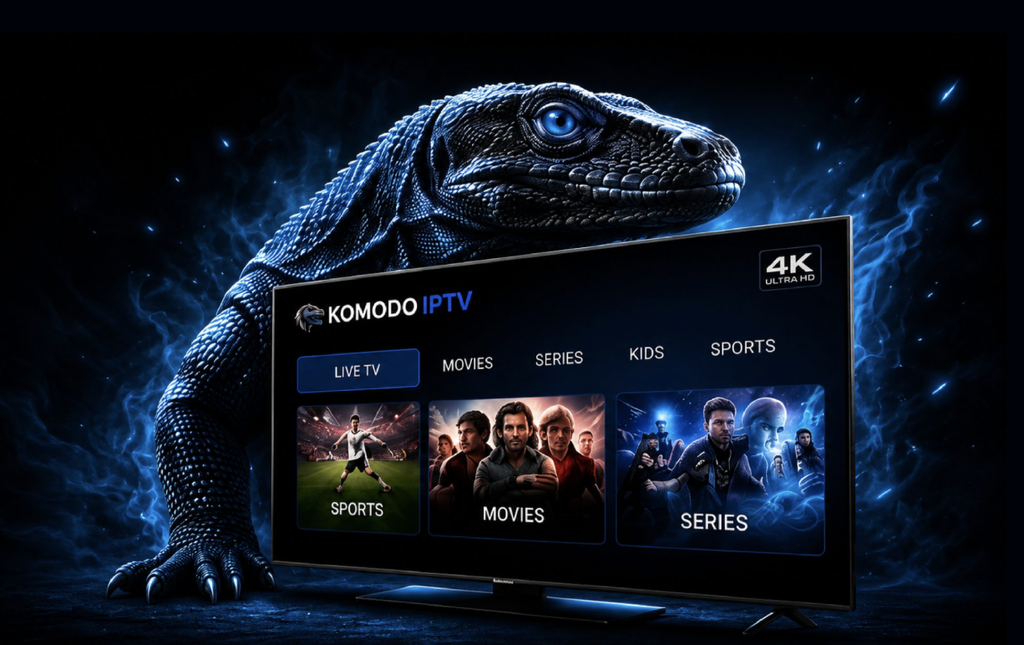
Thinking about canceling cable? Read our 2026 Komodo IPTV review to see real cost savings, live sports reliability, 3-screen family streaming, and 7 essential facts before buying.
Deciding whether to cancel a $140-a-month cable bundle starts with reading an honest Komodo IPTV review that focuses on real household savings, everyday picture reliability, and zero-hassle setup. With traditional TV providers piling on regional sports surcharges, box rental fees, and rigid two-year contracts, more viewers are switching to internet television that runs on the smart TVs and streaming sticks they already own.
In this 2026 Komodo IPTV review, we audit real annual cost savings, live sports stability during weekend peak hours, multi-room family sharing, and seven key factors every cord-cutter should check before subscribing.
How Much Money Can You Actually Save in This Komodo IPTV Review?
Before examining channel lists or app menus, the biggest question in any Komodo IPTV review is financial: how does the yearly bill compare to keeping cable or juggling four separate streaming subscriptions?
- Traditional Cable & Satellite: Averages $125 to $165 per month once HD receiver rentals, broadcast TV fees, and sports tiers are added—totaling $1,500 to $1,980 per year.
- Stacking Mainstream Streaming Apps: Combining a live TV app with separate sports and movie subscriptions routinely crosses $110 per month—totaling $1,320+ per year.
- Prepaid Internet Television: Ordering directly through the official Komodo IPTV storefront eliminates box leases, activation charges, and early termination penalties—keeping over $1,000 a year in your pocket.
7 Best Reasons Cord-Cutters Are Switching in 2026
Based on everyday living-room testing across Firestick, Android TV, and mobile devices, here are seven standout advantages highlighted in our Komodo IPTV review:
1. All-In-One Live Sports and Pay-Per-View Access
Instead of paying $80 for individual fight nights or buying separate league packages, major football leagues, motorsports, boxing, MMA, and live PPV events are included inside your standard subscription.
2. Over 6,000 Live Global and Local Channels
Whether you want local news affiliates, national entertainment networks, kids’ programming, documentaries, or international broadcasts from Europe, Latin America, and Asia, everything is organized into clean country and genre folders.
3. Massive On-Demand Movie & Series Catalog
Beyond live broadcasts, your account includes a regularly updated Video-on-Demand (VOD) library featuring recent movie releases and complete multi-season TV shows with subtitle support.
4. Three Simultaneous Streams Included Standard
Many streaming services charge extra for multi-screen family plans. Every standard account on Komodo IPTV allows up to three devices to watch different channels at the exact same moment.
5. Instant Email Delivery and 5-Minute Setup
There is no waiting around for a technician visit. Xtream Codes API and M3U playlist credentials arrive via email shortly after checkout so you can load your channels in under five minutes.
6. Built-In Electronic Program Guide (EPG)
Navigating thousands of channels feels effortless thanks to an integrated digital TV schedule that displays current and upcoming show titles in a familiar grid layout.
7. Complete Freedom from Long-Term Contracts
Every plan is 100% prepaid, giving you total flexibility to start with a short billing cycle or upgrade later without cancellation fees.
Related Reading: Want to compare individual billing durations? Explore our active subscription plans or check out the latest pricing tiers.
Real-World Streaming Requirements in Our Komodo IPTV Review
A trustworthy Komodo IPTV review should also make clear what your home network needs for buffer-free playback. Because live HD and 4K feeds travel over your broadband connection rather than a satellite dish, follow these three baseline rules:
| Home Setup Factor | Minimum Requirement | Recommended for Best Results |
|---|---|---|
| Internet Download Speed | 25 Mbps (for single HD stream) | 50–100+ Mbps (for 4K & 3 simultaneous screens) |
| Router Connection | 5GHz Wi-Fi band | Wired Ethernet adapter on main living room TV |
| Media Player App | IPTV Smarters Pro / IBO Player | TiviMate (on Amazon Fire TV & Android TV) |
Before subscribing, run a quick 10-second connection check on Speedtest by Ookla from the room where your main TV sits to confirm steady download speeds and low ping.
How to Get Started in 4 Simple Steps
Setting up a new account from the Komodo IPTV homepage takes just a few minutes:
- Select Your Preferred Plan: Start with a low-commitment 30-day starter plan if you want to test peak-hour playback first, or pick a discounted 12-month subscription for maximum savings.
- Install Your Media Player: Download TiviMate on your Firestick/Android TV, or install IPTV Smarters Pro on your Samsung/LG Smart TV, smartphone, or computer.
- Enter Your Xtream Codes Details: Open your confirmation email and type in your Server URL, Username, and Password.
- Organize Your Favorites: Wait 30 to 60 seconds for channels and the EPG guide to sync, then star your top 15–20 channels into a custom Favorites list for instant access.
Smart Tips to Prevent Evening Buffering
Even after reading a strong Komodo IPTV review, minor home network tweaks make a noticeable difference during busy evening hours (7:00 PM to 11:00 PM):
- Pair Your Device with a Lightweight VPN: Several internet providers automatically throttle high-bandwidth streaming traffic during prime time. Enabling a WireGuard VPN prevents ISP throttling and keeps speeds consistent.
- Avoid Older 2.4GHz Wi-Fi: Always connect streaming sticks to your router’s faster 5GHz network—or use a $12 USB Ethernet adapter—to prevent signal drops.
- Keep Hardware Decoding Active: Inside your player app’s playback settings, ensure Hardware Video Decoder is enabled so your device processes 60fps sports smoothly.
Helpful Resource: Want to read verified subscriber experiences alongside our cost audit? Browse our roundup of real Komodo IPTV customer reviews and our hands-on user experience breakdown.
Frequently Asked Questions (FAQ)
What makes this Komodo IPTV review different from cable comparisons?
This Komodo IPTV review focuses on real annual household savings, multi-room 3-device streaming limits, and practical home network requirements rather than vague marketing claims.
Can I watch on both my living room TV and my phone?
Yes. Every standard account supports up to 3 simultaneous connections, allowing you to stream on smart TVs, Firesticks, smartphones, tablets, and laptops at the exact same time.
Is there a contract or cancellation fee if I stop renewing?
No. All plans on Komodo IPTV are 100% prepaid with zero long-term contracts, box rentals, or cancellation penalties.
What internet speed do I need for 4K and live sports?
Aim for at least 25 Mbps for single-screen HD streaming and 50 Mbps or higher if you watch 4K content or run three streams simultaneously.